- DATE:
- AUTHOR:
- The Customer Portal team
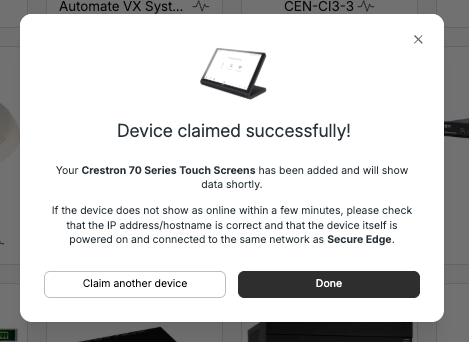
Claim Edge Devices Instantly - No Ping Required
You can now claim an Edge device as soon as you have its details, without waiting for it to connect to the platform first.
Previously, claiming an Edge device required it to send an initial ping to Xyte before it could be registered, meaning you had to wait for the device to be powered on and reachable before completing the setup. Now, both organizations and individual users can claim an Edge device immediately. Once the device does connect and starts responding, it will automatically sync with Xyte and begin showing data.
This is especially useful for pre-staging deployments, bulk onboarding, and handoffs where devices aren't yet physically set up or online.
How to claim an Edge device:
From the Devices list, click Add device.
Select the customer, space, and Edge the device belongs to, give it a name, and click Next.
Enter the device's IP address. You can click Test connection to verify reachability from your Edge, but this step is optional.
Click Add device at any point, whether the connection test is still running, passed, or failed.
The device is claimed. If it isn't online yet, it will appear offline and begin syncing data automatically once it connects to the Edge.
Please contact support@xyte.ai with any questions.