- DATE:
- AUTHOR:
- The Customer Portal team
New Connector Spotlight: Cisco Control Hub
Bring your Cisco device fleet from Cisco Control Hub straight into Xyte for simpler, more streamlined day-to-day monitoring and faster action.
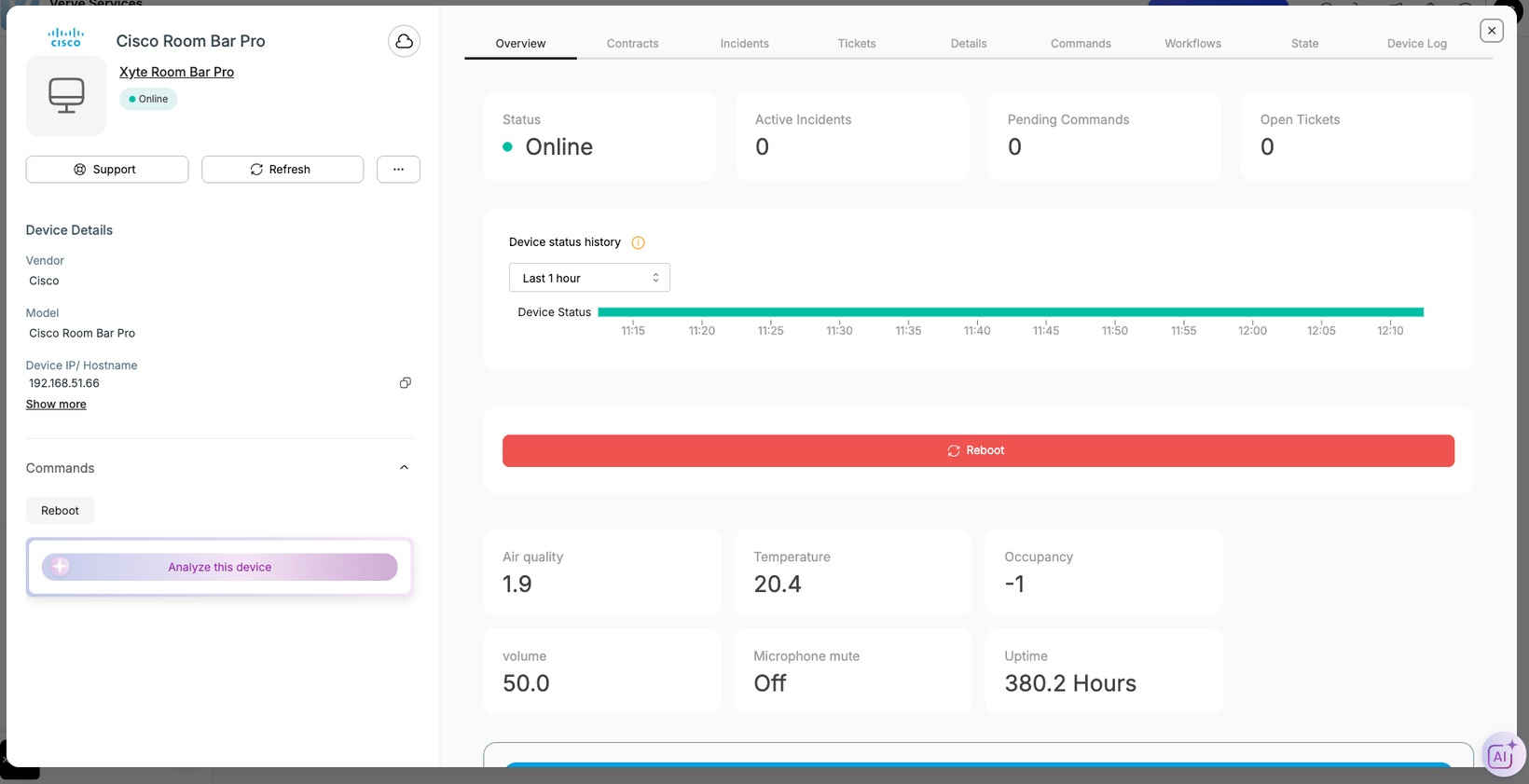
With our newest cloud-to-cloud connector, seamlessly import and keep in sync key types of Cisco/Webex devices, including room and desk devices, cameras, voice gateways, and other Webex calling devices. In Xyte, you’ll gain unified visibility into essential details such as space hierarchy, IP address, model/submodel, firmware & software versions, serial number, MAC address, device name, description, and dynamic statuses like online/offline – all from one centralized platform.
Our Cisco device telemetry coverage includes rich call, media, and room intelligence data — including HDMI input status, camera tracking, mic and volume state, room analytics (people count, temperature, air quality), and connected peripheral health. This gives you deeper visibility into device performance, room utilization, and meeting quality, all in one place.
Need to take action fast? Xyte supports remote rebooting for connected devices, helping teams restore service quickly without jumping between tools.
How to connect Cisco Control Hub
Navigate to the Connections tab on the left hand menu and select Cloud Connectors.
Click Add Connector
Select Cisco Control Hub, then choose the customer/space where you’d like devices added and click Add Connector
Authorize the connection with the authentication link and passcode provided.
Once authenticated, devices will be automatically imported and synced in your Xyte cloud.
Please contact support@xyte.io with any questions.